Your household emergency plan, in two minutes.
Answer a few questions. See how many days of water you have, what is missing, and how you will reach each other if the phones go down. Free, and all it asks for is a ZIP code and an email.
- Works with no signal
- Just a ZIP code and an email
- English, Spanish, French, Portuguese
Work for a county, city or council? See it for government
A few questions in, a plan out
No long form to fill in. Each answer builds your plan, and every question can be skipped.
Tell it about your home
Where you live and who lives with you. It picks the hazards that are usual for your area. Skip any question you like.
See where you stand
Your water in days, the gaps that matter for your hazards, and the most useful next step. Most steps are free and take minutes.
Agree on it with your people
Who does what, where you meet, and one person outside the area everyone checks in with. Clear enough to read at 3 a.m. with no signal.
One Miami Beach family, from sign-up to storm day
Real screens from the working app. The household: two adults and a child, with Dad nearby and an aunt out of state.
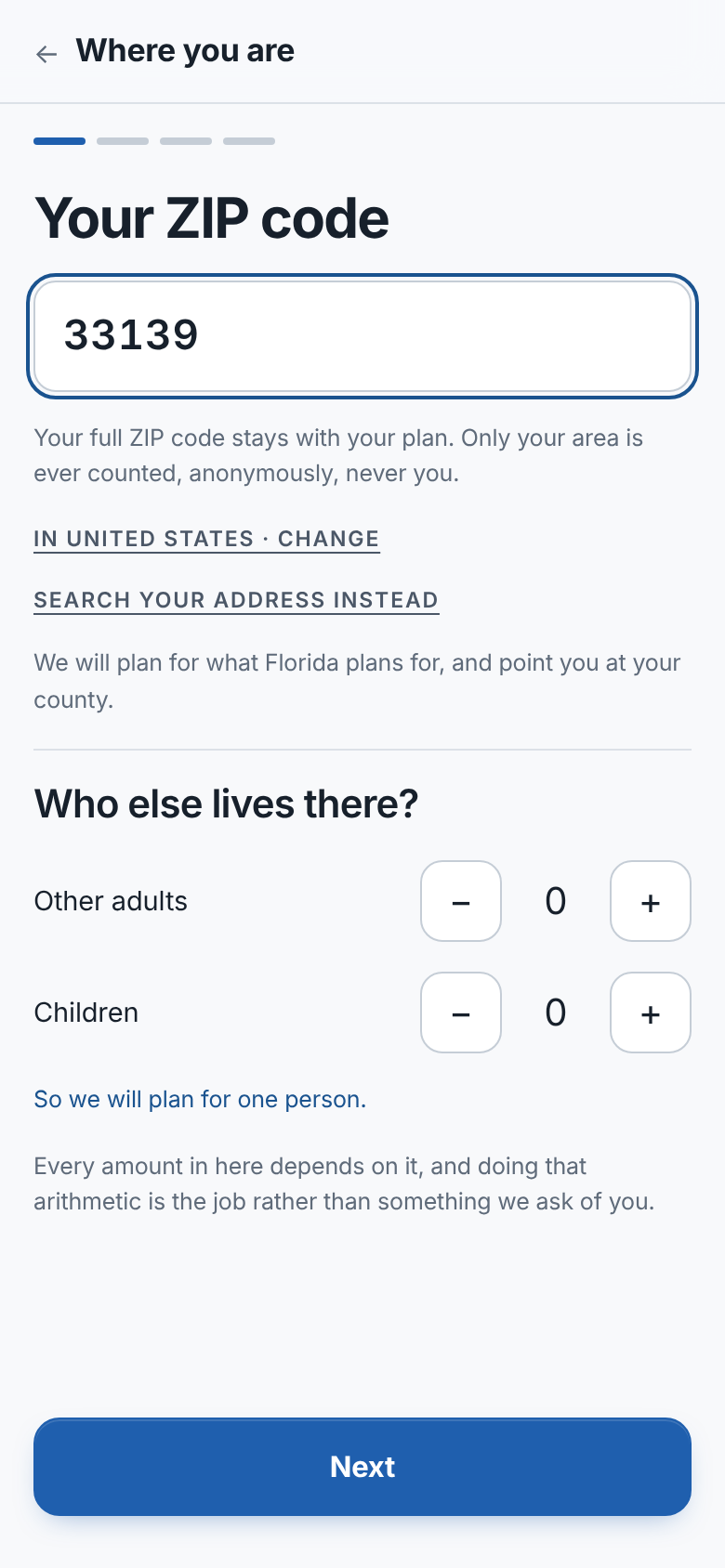
A ZIP code, and it knows your risks
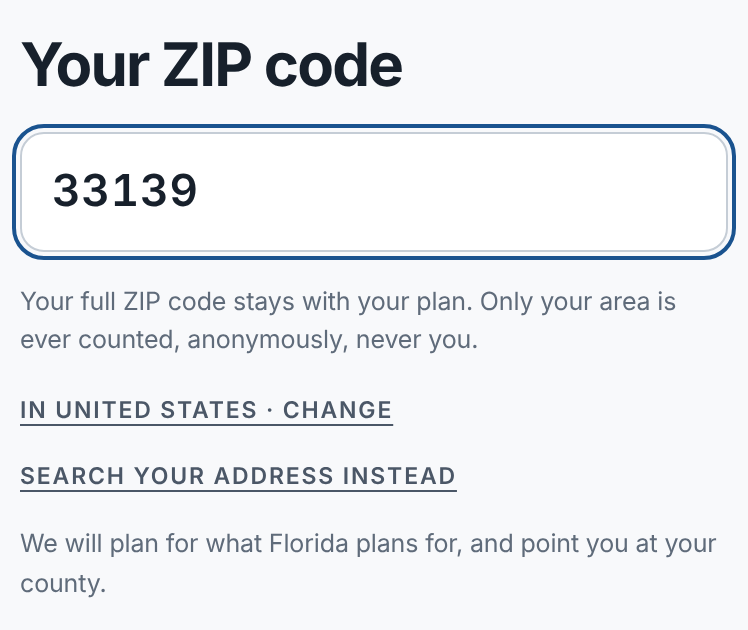
Pick your country and language, then type your ZIP code, or search your address and it fills it in. That is enough for it to know what to plan for where you live.
- Country and language picked from your phone, one tap to change
- Your ZIP code finds your town, your county and its hazards
- We keep your ZIP code, never your address
Why it is different. Most preparedness sites start with the same checklist for everyone. This starts with where you live.
It does the math for you
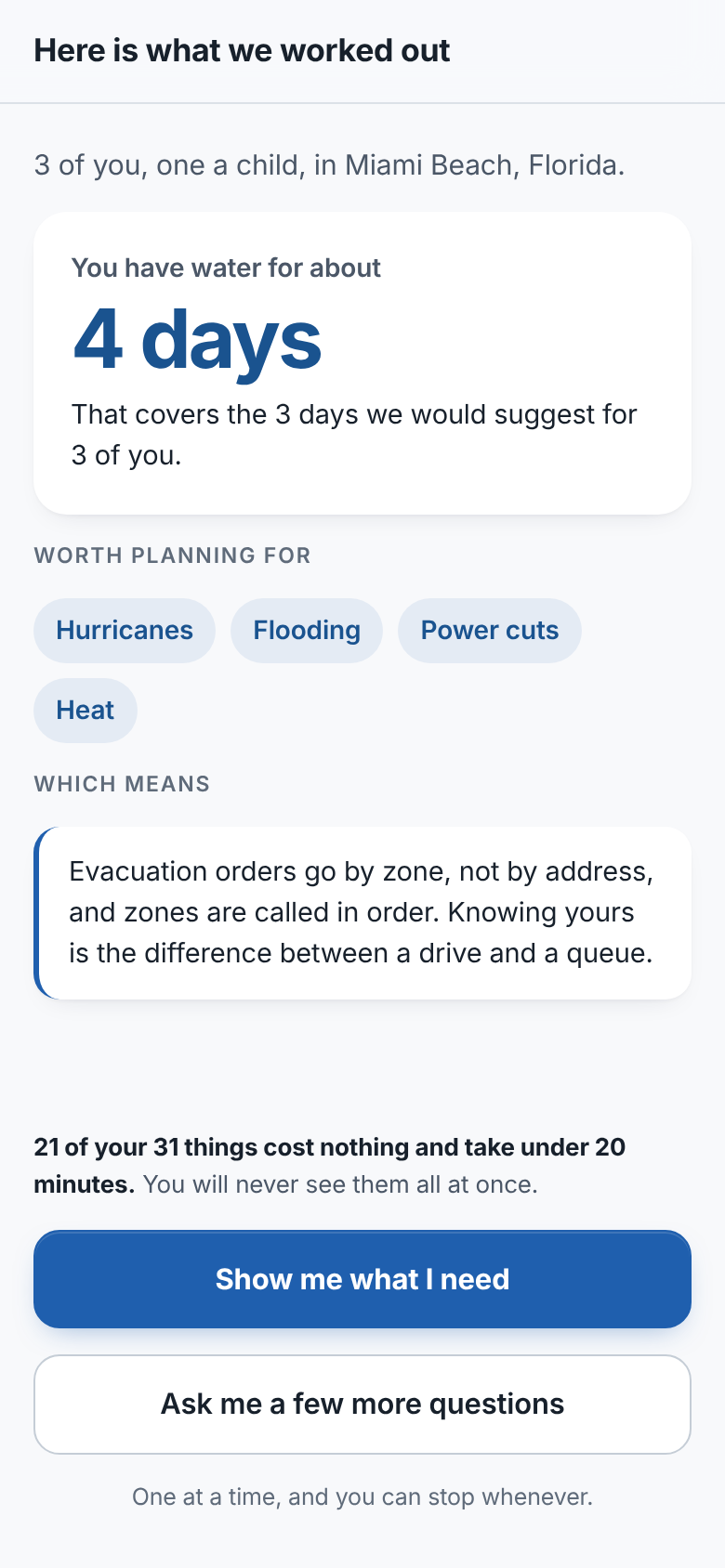
Tell it where you live and who lives with you. That is enough for a true answer about your home.
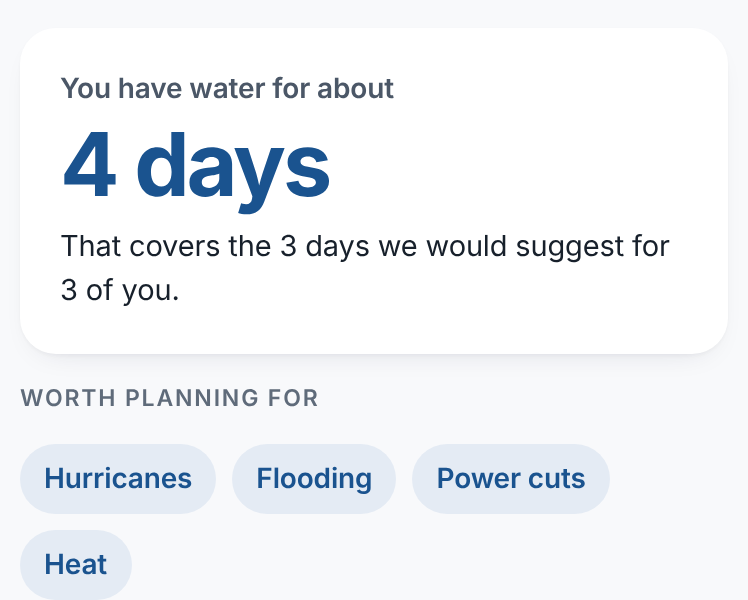
- Hazards picked for your area: hurricanes, flooding, power outages and heat in Miami Beach
- Your water in days, against the days we would suggest
- The first thing worth doing, and why
Why it is different. A checklist tells everyone the same thing. This tells a family of three how many days of water they have.
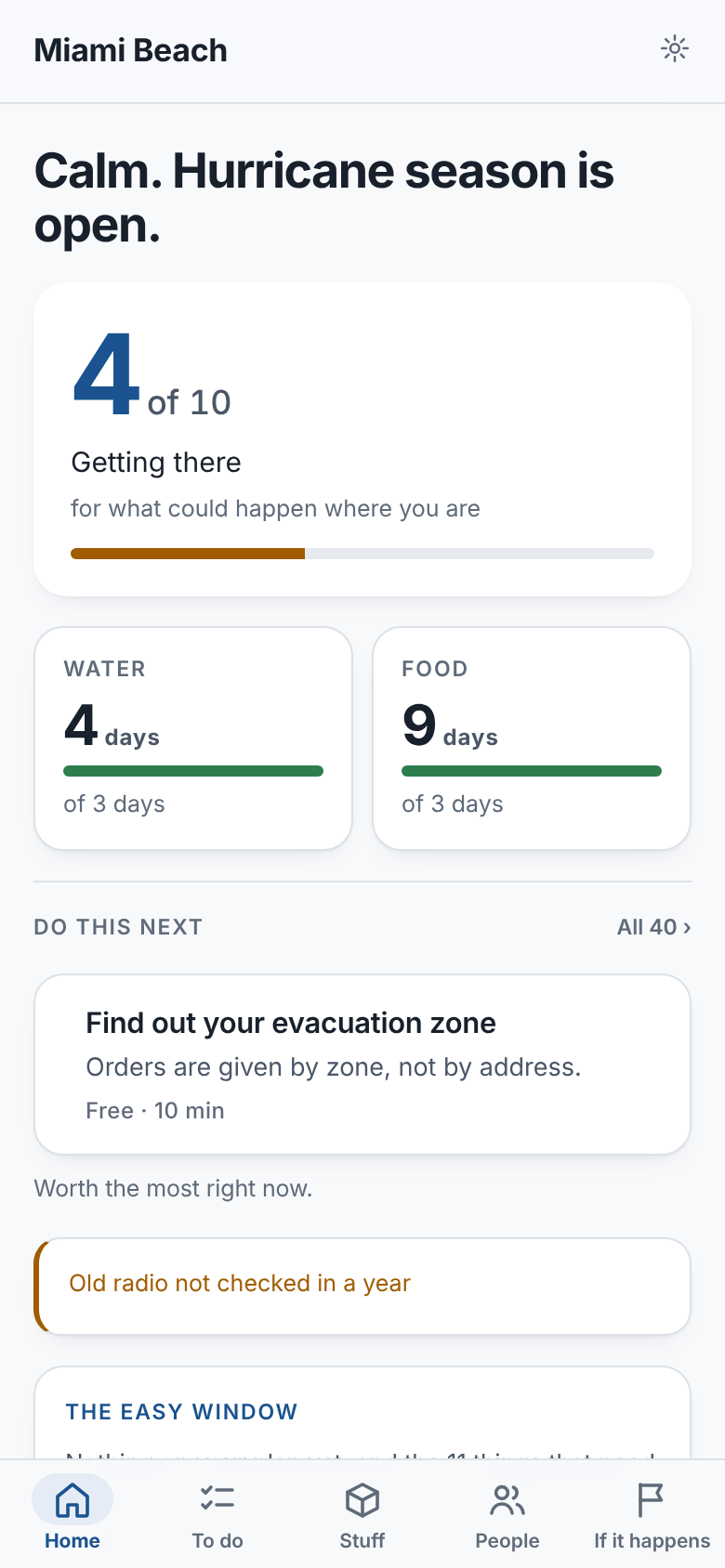
A score that shows its work
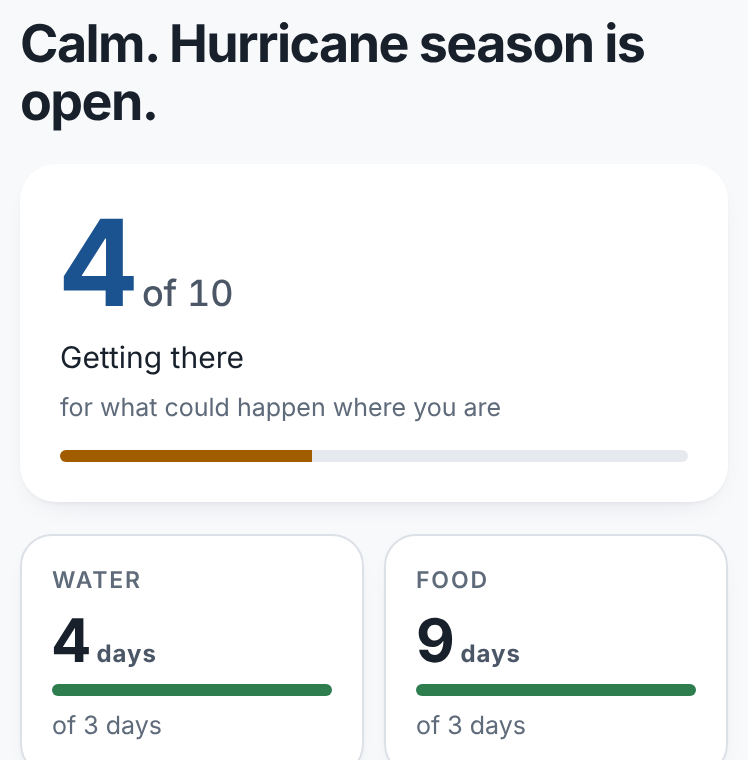
Your readiness for what could happen where you live. Water and food in days, plus the one thing worth doing next.
- 4 of 10: every number says what it is out of
- Water and food as days for your household, with nothing to convert
- Flags anything you own that has not been checked in a while
Why it is different. Most apps have no score, or invent one. This one can always show you exactly how it got there.
Every step: how, how much, and who
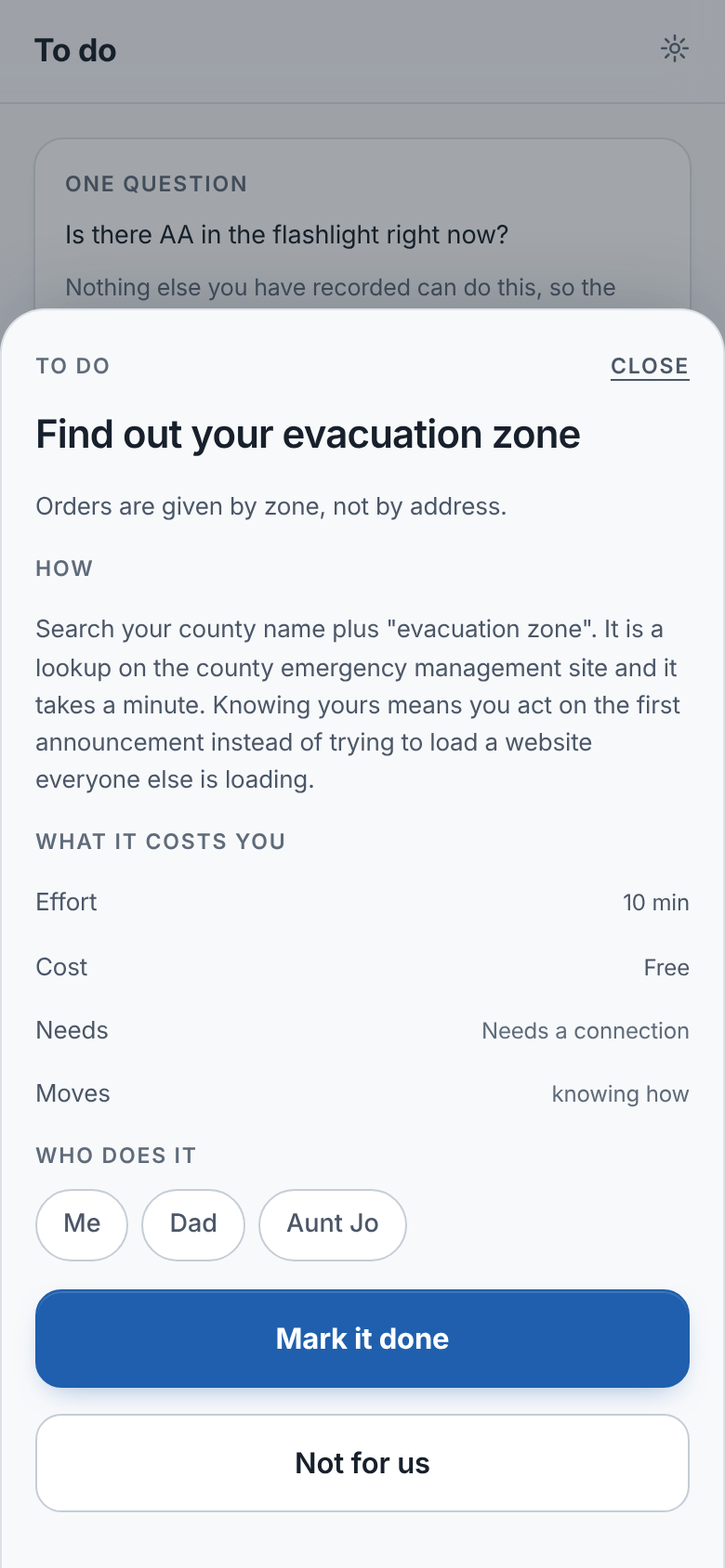
Each step tells you why it matters and how to do it, with the effort, the cost, and who in your household takes it.
- Most steps are free and take minutes
- Shared out between the people in your household
- Asks only what changes the advice: "Is there AA in the flashlight right now?"
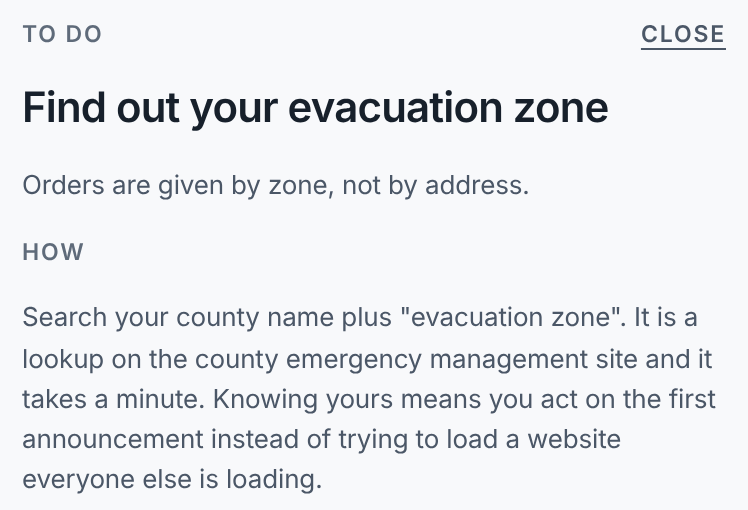
Why it is different. A PDF says "know your evacuation zone." This says where to look it up and how long it takes, and lets you hand it to someone.
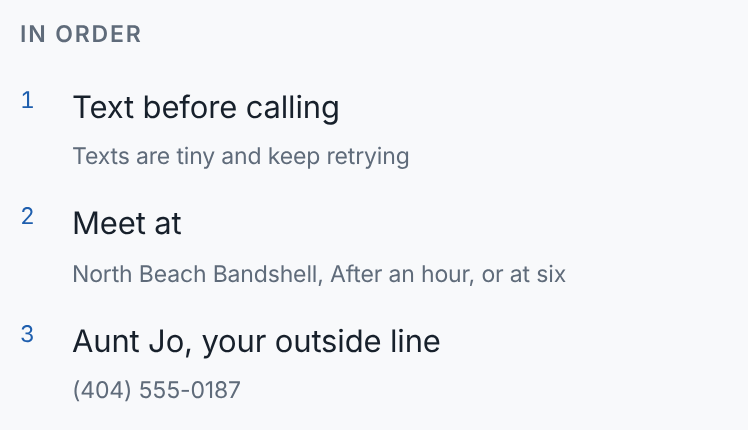
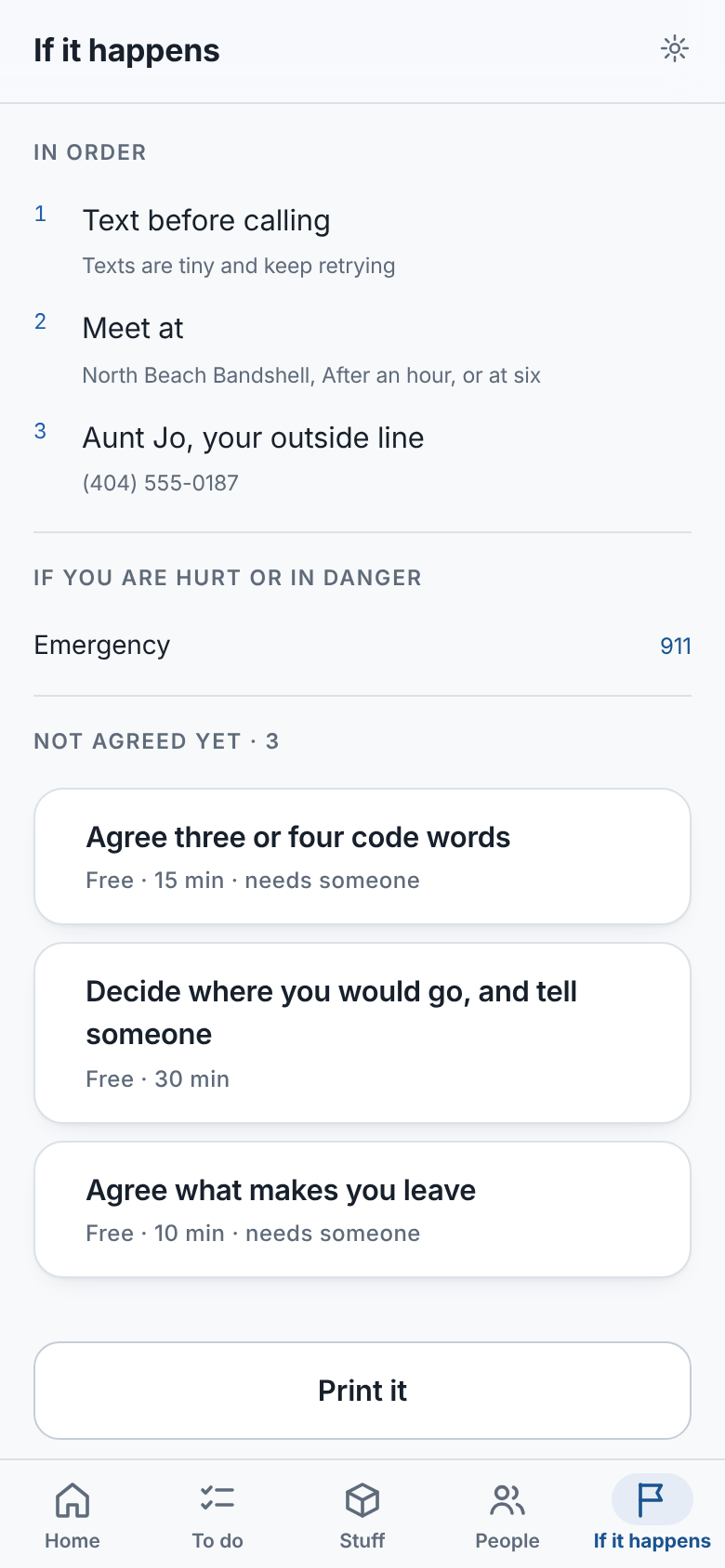
The page you read at 3 a.m. with no signal
How you reach each other, in order. Where you meet. The one person outside the area everyone checks in with. All of it works offline.
- Text before calling: texts are tiny and keep retrying
- A meeting point with a time: "after an hour, or at six"
- An outside line: local lines jam first, and long distance often still works
Why it is different. This is FEMA family communication planning, in a form a household actually fills in and keeps.
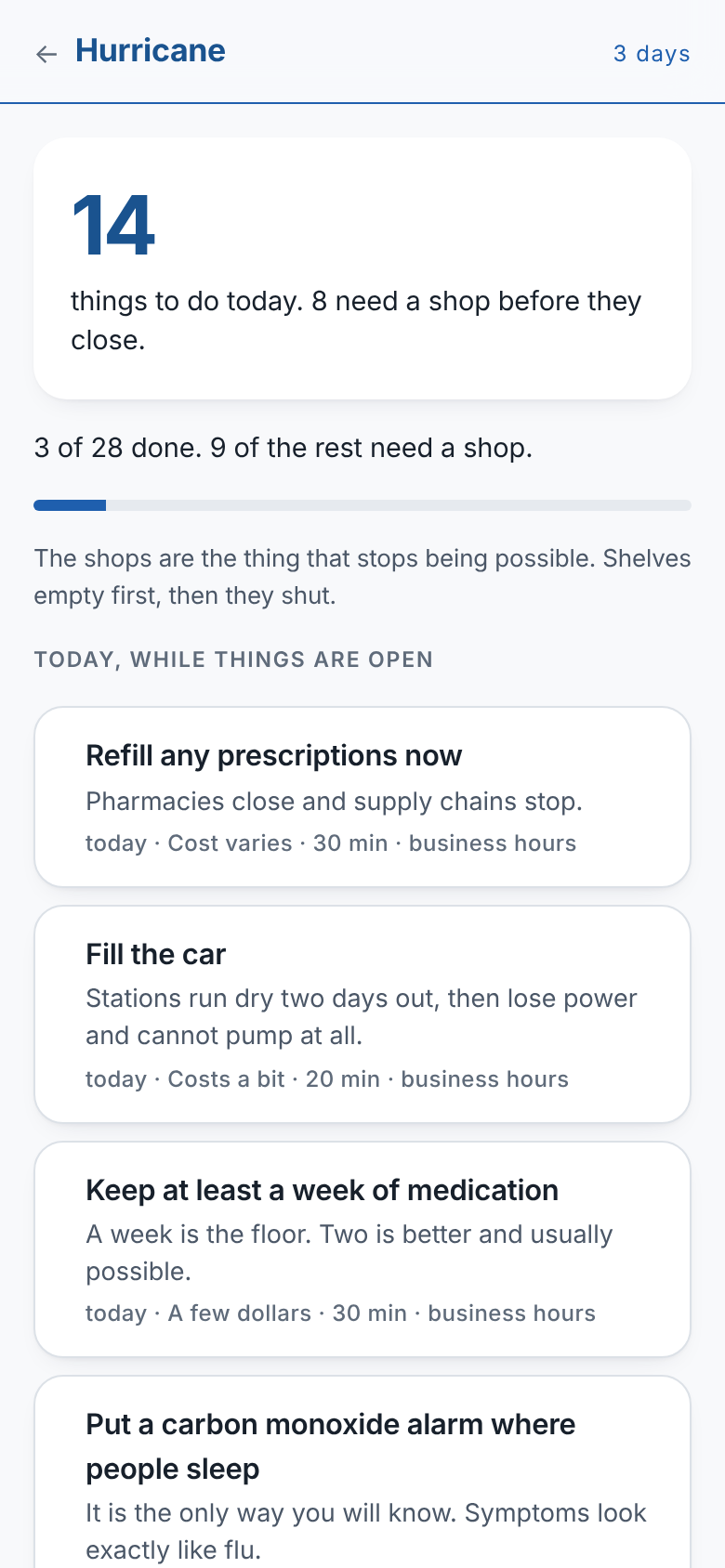
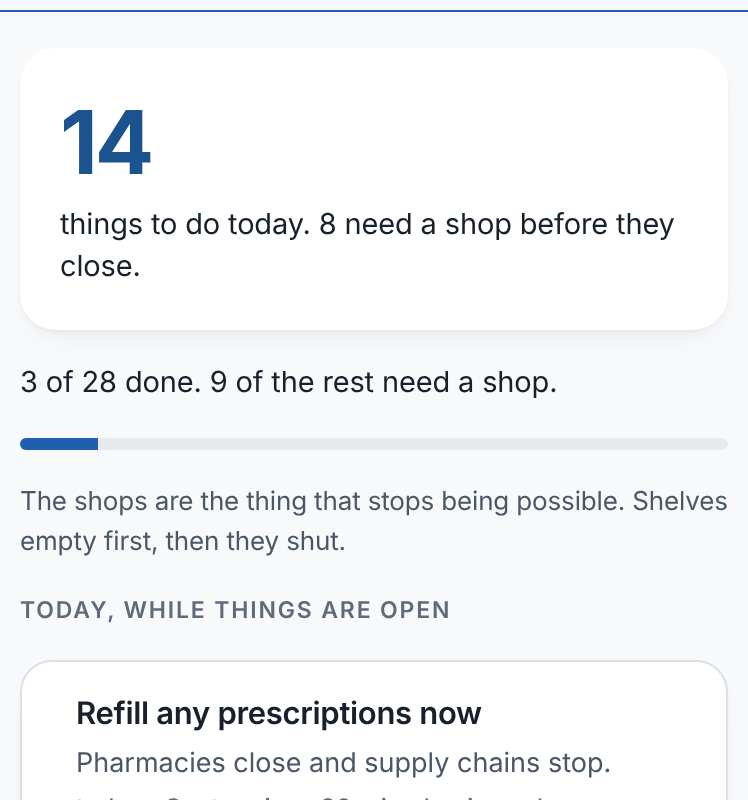
Day by day, starting with what closes first
With a hurricane three days out, your plan becomes a countdown in the order you live it: prepare while the stores are open, the last things right before it arrives, and what to do while it is happening.
- Now, while things are open: refill prescriptions, fill the car
- Right before it arrives: confirm where everyone will be, fill the bath, charge everything
- While it is happening: what to do, written for this hazard, so nobody has to look it up
Why it is different. Alerts tell you a storm is coming. This tells you what to do about it today, for your home.
One tap to say you are OK
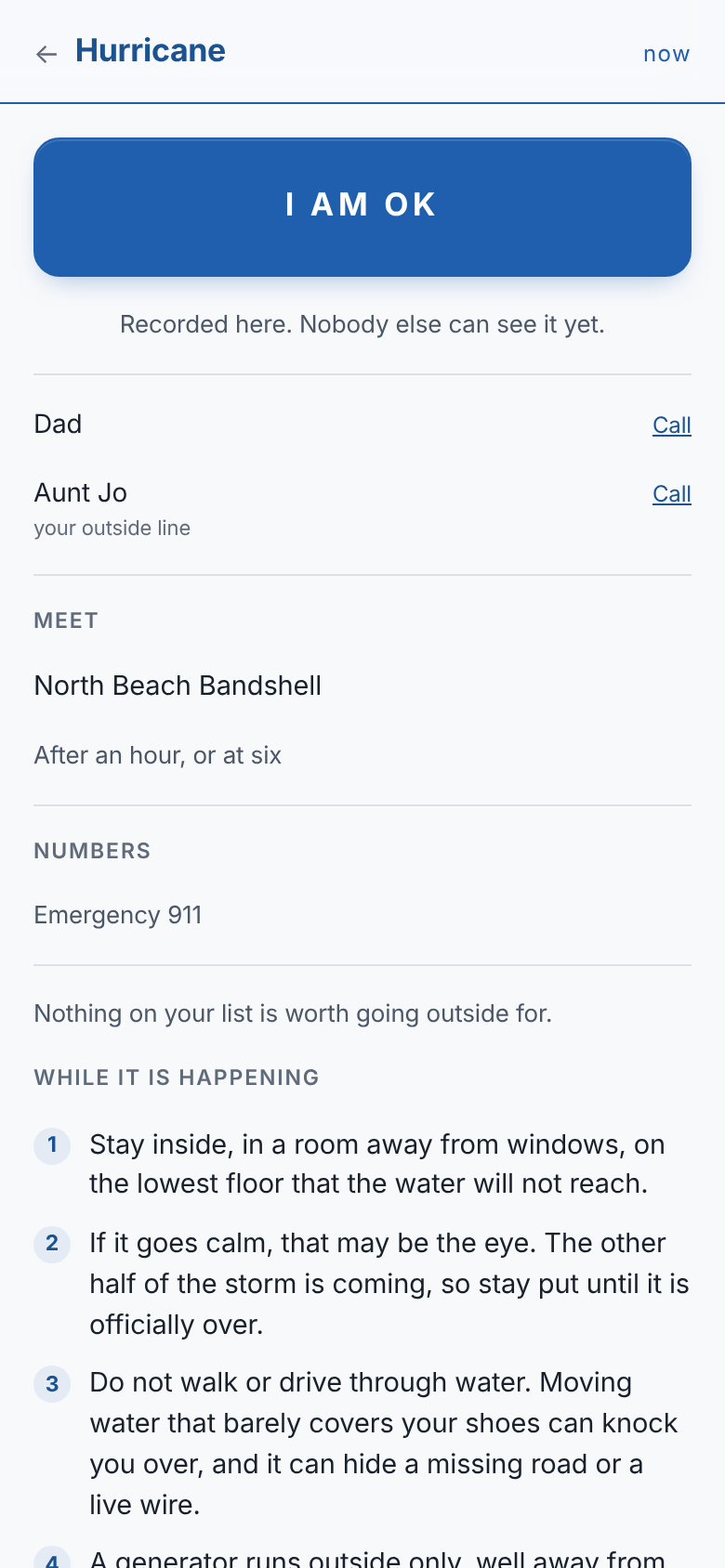
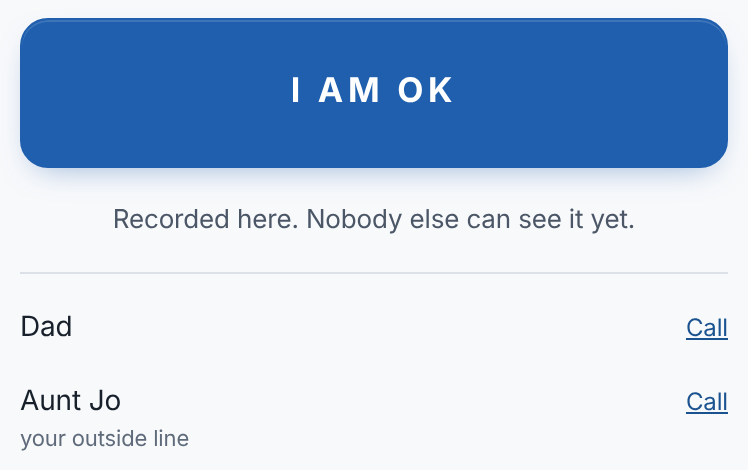
During the event you see only what matters: your I am OK button, who you have heard from, where you agreed to meet, and what to do while it lasts.
- An I am OK button that records on your phone, even with no signal
- Who you are still waiting to hear from, with a button to call them
- What to do while it lasts, for this hazard: stay away from windows, the calm may be the eye, never drive through water
Why it is different. A group chat is fifty messages long by the time you look. This is one screen.
The plan, for whoever cannot reach you
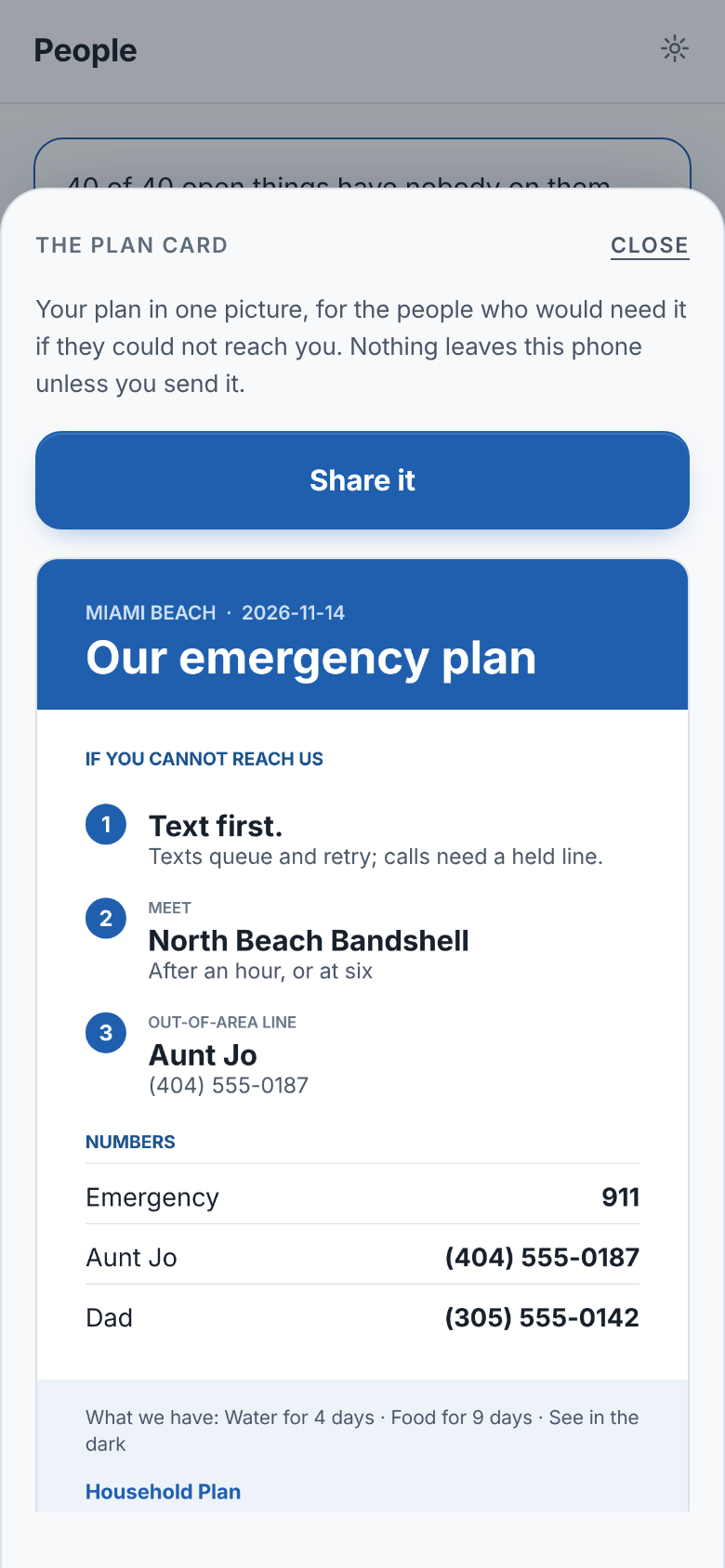
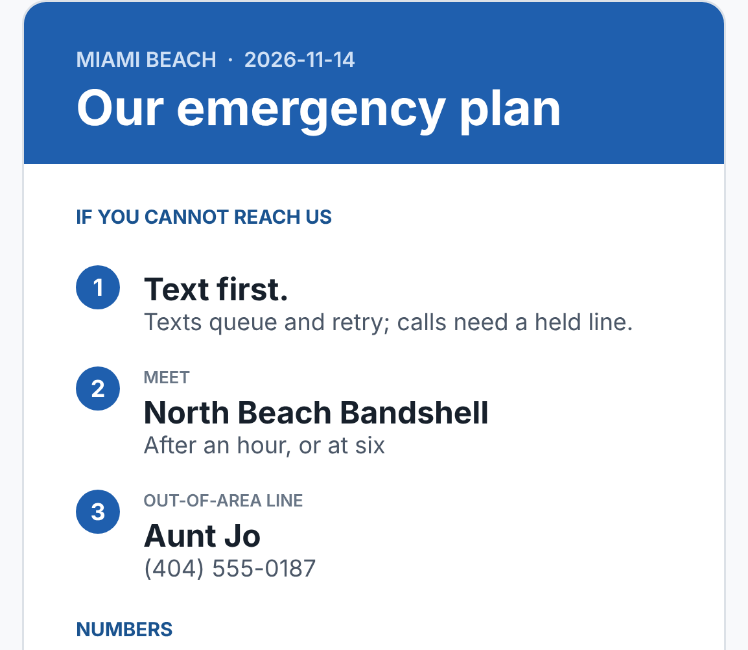
One picture for the family group chat or the fridge. It answers the question the person holding it will have: I cannot reach them, so what do I do and who do I call? It leaves your phone only when you send it.
- What to do, numbered, in the order to do it: text first, where to meet and when, who to check in with
- The numbers, ready to dial: emergency, the outside line, family nearby
- Dated, so nobody trusts an old one
Why it is different. A plan on a form sits in a drawer. This one is in the hands of the people who will need it.
Good tools exist. One piece is missing.
Each of these does something well. None helps a household make a plan together and keep it current.
| What it does | Household Plan | Government apps | PDF plans | Supply apps | Group chats |
|---|---|---|---|---|---|
| Worked out for your household | Yes | No | No | Partly | No |
| A plan your whole household shares | Yes | No | Partly | No | Partly |
| Out-of-area contact and comms order | Yes | No | Partly | No | No |
| Kept current over time | Yes | No | No | Partly | No |
| Day by day when a storm is coming | Yes | Partly | No | No | No |
| Works with no signal | Yes | Partly | Yes | Partly | No |
| Official alerts and shelters | No | Yes | No | No | No |
It does not replace official alerts, and should not: it links to them. Government apps say where to go. This makes the household plan for getting there.
Prepared people panic less
Panic comes from not knowing where everyone is, what to do, or who to call. A plan answers all three before the day arrives. Start with the basics. Go further only if you want to.
Your plan is yours
It works with no signal and is saved to your household account, so a lost phone does not mean a lost plan. We never sell it or show it to anyone. Local authorities see only anonymous counts by area.
A model of a household, built on established doctrine
Most preparedness tools are a list someone wrote. This one models a household: what it has, what that means, and what to do next, drawing on what emergency professionals already agree on.
Start your plan now. It takes two minutes.
Free, on any phone. All it asks for is a ZIP code and an email.